Bulk Any Card Printing Tool
Crop Ayushman, Aadhar, E-Shram & PVC Cards | 300 DPI | Cutting Lines
Select Files to Print
Upload PDF, JPG, PNG (Max 50 Files)
Front Not Set
Back Not Set
Final Output Sample
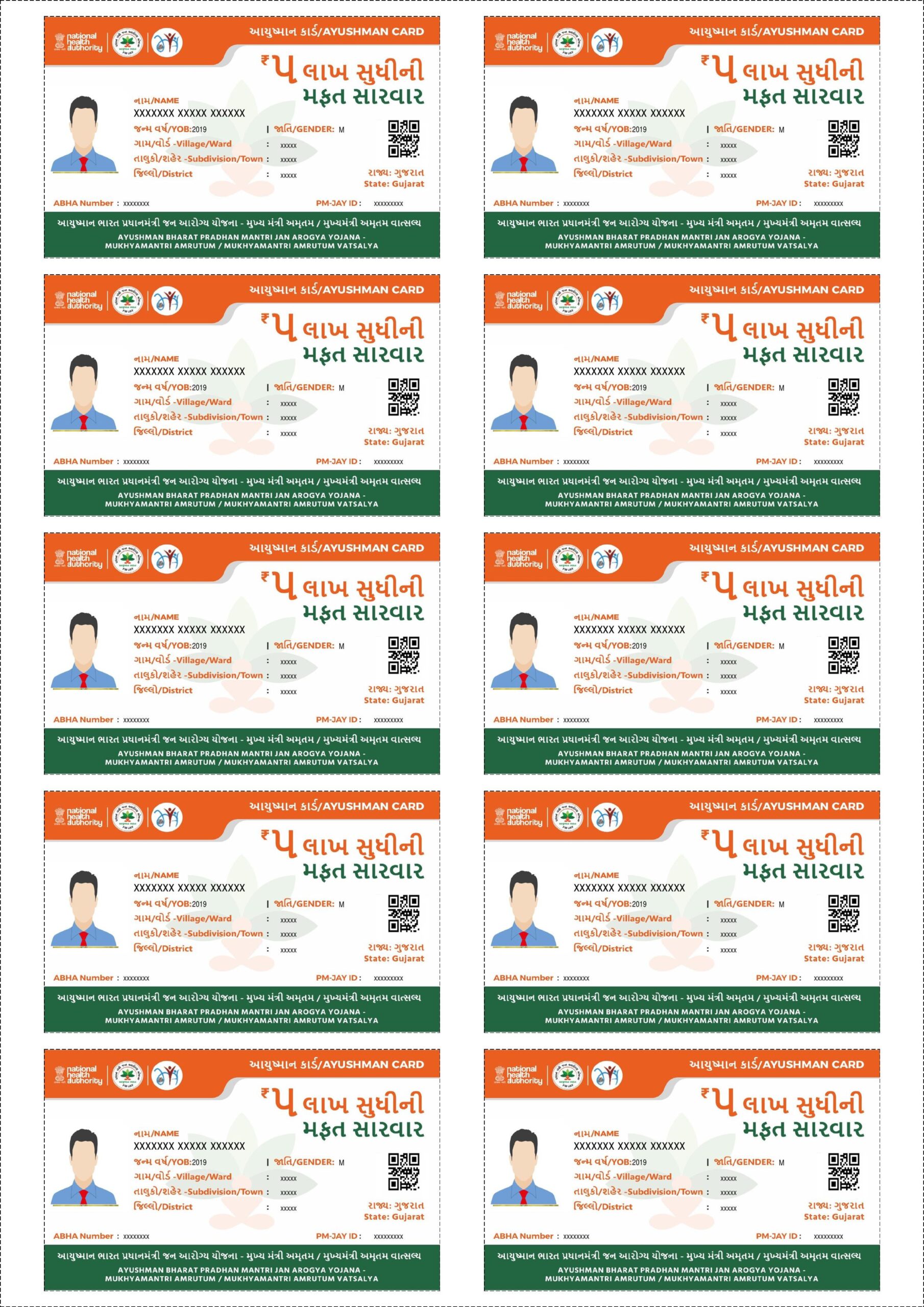
After processing, your PDF file will look exactly like this (A4 Size with Cutting Lines).
Bulk Ayushman, Aadhar & PVC Card Printing: Key Benefits
Printing multiple ID cards like Ayushman Bharat (PMJAY), Aadhar, E-Shram, or PAN cards one by one is time-consuming. Our Bulk Any Card Printing Tool is designed for VLEs, Cyber Cafe owners, and organizations to automate this process.
Key Features:
- 300 DPI High Quality: Get crystal clear prints suitable for PVC card printing.
- Auto Cutting Lines: We add dotted lines around every card for easy cutting with scissors or cutters.
- Smart A4 Alignment: Automatically fits 5 cards (Front & Back) or 10 Single side cards on one A4 sheet with 2.5mm Gap.
- Duplex Support: Perfectly aligns Fronts on Page 1 and Backs on Page 2 for Magicard/Evolis printers or manual duplexing.
- 100% Free & Secure: All processing happens in your browser. No files are uploaded to our server.
Step-by-Step Guide: Print Ayushman/Aadhar Cards in Bulk
- Upload: Select multiple PDF files or Images of the cards.
- Crop Front: Use the crop tool to select the Front side of the card and click “Set Front”.
- Crop Back: Move the selection to the Back side and click “Set Back”. The tool will auto-scroll to the process button.
- Process: Click “Process & Download”. You will get a printable PDF instantly.
Frequently Asked Questions (FAQ)
Can I print Ayushman Cards on PVC size?
Yes! Our tool sets the dimensions to exactly 85.6mm x 54mm (Standard CR80 Size), which is perfect for PVC printers.
Does it support E-Shram and Aadhar Cards?
Absolutely. You can use this “Any Card Tool” for Aadhar, E-Shram, Health ID, PAN Card, Voter ID, or any document that needs cropping.
What if I want Duplex (Front-Back) printing?
Just check the “Duplex Mode” box before processing. The PDF will generate Page 1 with all Fronts and Page 2 with all Backs (aligned for back-to-back printing).
Explore More Free Tools